NOVEMBER 11, 2026
Object Remover AI Free: Paint the Spot and Check the Edge
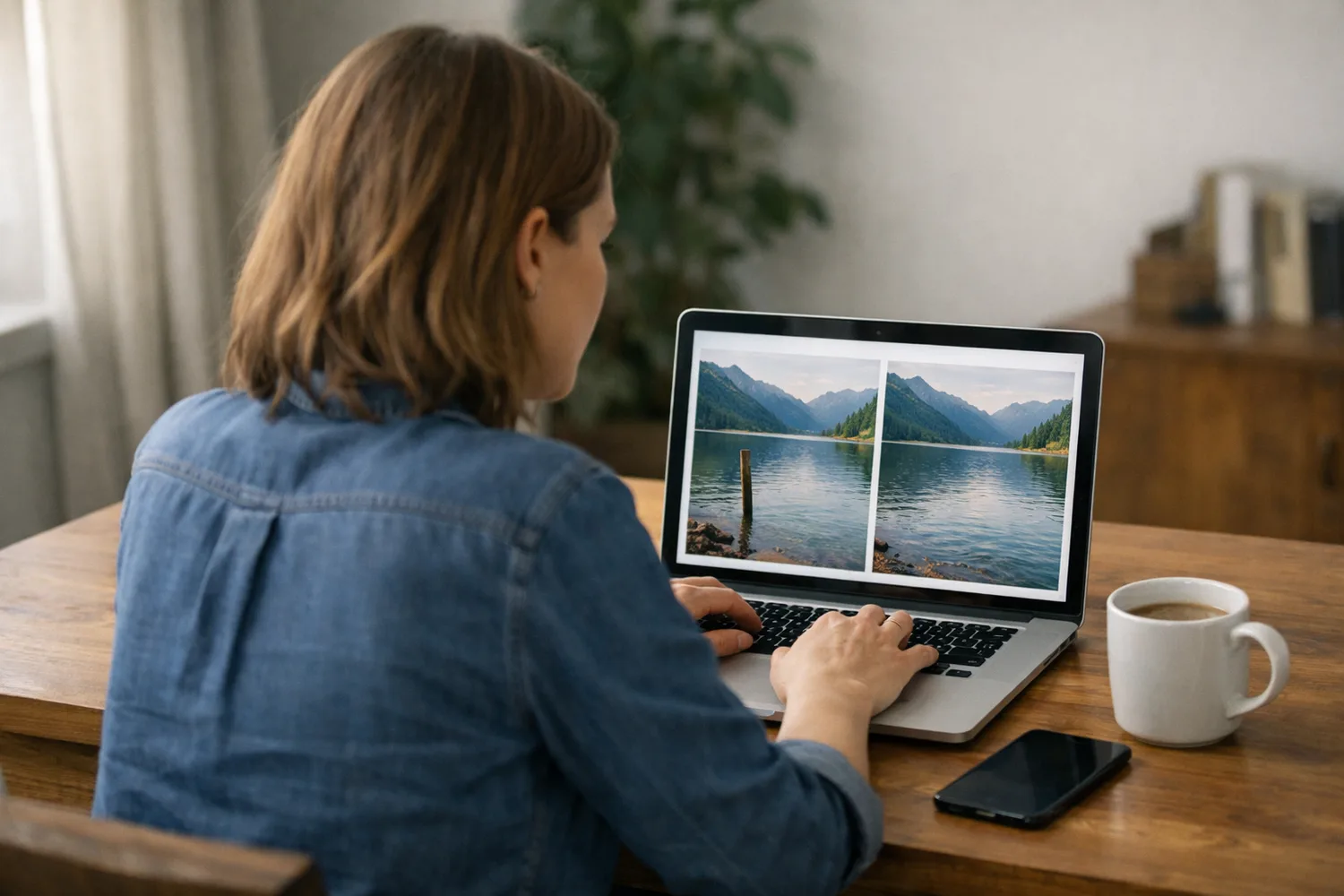
Paint over one unwanted object on a photo you already have. The free tool runs in the browser with no account, five times a day, and Image Edit is there when the fill still looks wrong.
An object remover from photo free is the tool you want when one thing in the picture should not be there, a charger on the table or a sign behind someone's head. You mark that spot, and the page fills what was behind it.
On Vibe Photos that job is Object Remover. You upload a photo you already have, drag across the object, and the page fills the marked area. The tool runs with no account. Email verification comes later. That step adds 15 credits for Image Edit, about two images at about 6 credits each. The free brush does not spend those credits.
What you are asking the fill to do
People type remove object from photo when the frame is almost right and one item wrecks it. The page describes the work as painting over distractions, shadows, or blemishes so the fill can rebuild the background. Once a photo is loaded, the hint on the canvas is to drag across the object to mark it for removal. Cover the object, and a little of the edge where it meets the background, so the fill has neighboring pixels to continue. A thin cord wants a smaller brush. A bag on a chair wants a wider one.
The source photo still decides how convincing that fill looks. Soft indoor light and a background with a repeating texture, a painted wall or a wood table, give the model something ordinary to extend. A face, printed lettering, or a patterned shirt under the brush is a harder fill, because those areas are not a texture that simply continues. If the object crosses a person's hair or a hand, look at that edge after the run. A gap in the mask leaves a sliver of the old object. A mask that eats into the hair asks the model to invent hair.
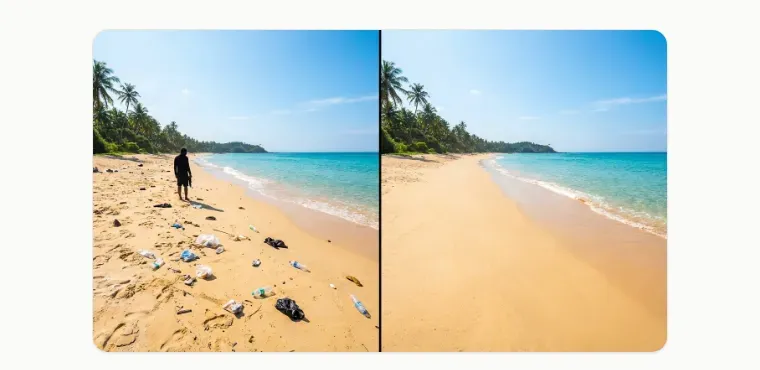
The page itself shows the idea with a beach photo: litter scattered on the sand on the left, and the same shore cleared on the right. That pair is a sample, not your file. Your run uses the picture you upload.
From the upload to the download
Remove object from photo free, on this page, means one photo and a painted mask, with no login. Accepted files are JPG, PNG, and WEBP. The upload box says Max 20MB, and a larger photo can be compressed down to that size before the request goes out. The page may ask you to complete a human check before the upload opens. The check sits in front of the file picker. An account is only for Image Edit, later.
Each browser gets 5 free runs a day. The page states how many of those 5 you have used, in the form "0 of 5 free runs used today," and the count resets the next day. While a run is going, the tool says it usually takes 1 to 2 minutes, and that leaving or refreshing the page cancels it. Keep the tab open. When the run finishes, the edited photo replaces the preview in the same slot. Download from that result.
If the mask missed a corner, paint the leftover and run again on the edited preview. That second pass spends another one of the 5. A photo with three separate distractions may need more than one pass, because one mask covers what you paint in that run. It does not hunt the frame for every extra object. Paint the cable, look, then decide whether the bin in the background is worth a second run.
When the patch still shows the object
A remove object from photo ai run can clear a cable on a wood table and still leave a smear where the cable crossed a shadow. The note on the tool is written for that case: clean the unwanted object in Image Edit with your own prompt. Image Edit takes up to 3 reference photos. For a cleanup like this, one photo is enough, either the picture you just downloaded or the original if you would rather start over. Write the change in one sentence. The coffee table should show the wood grain and the mug, the white cable should be gone, and the person standing beside the table should stay the same person.
Image Edit is the paid step. About 6 credits per image. The 15 credits from email verification are about two tries, which is enough to see whether a sentence does what the brush could not. Image generation often takes 1 to 2 minutes, the same window the free tool already asked you to wait. You open an account when the filled patch is not a picture you can post. The brush keeps working without that account.
A few prompts fail in a predictable way. "Make it better" does not name the object. "Remove everything in the background" asks for a new scene, which is a different edit from erasing one cable. Name the object, name what should remain, and say if the face must not change. If the first result moves the person, use the second try on a tighter sentence rather than a longer one.
The file is the size you uploaded
A search for remove object from photo online free hd is asking for a clean file, and often for a larger one. Object Remover edits the photo you uploaded. It does not add resolution. If the original is a small phone crop, the download stays that size, with the marked area rebuilt. Open the file at 100 percent before you post it. A wall that was smooth can go slightly mottled. A window frame or a table edge can bend where the mask crossed it. Those spots are worth a second pass, or a move to Image Edit, if the bend is the thing you notice first.
When the picture is right and the file is simply too small for a print or a listing, that is a different tool. The image upscaler is the free browser tool for resolution. Run the removal first, then upscale the cleaned file if the destination needs more pixels. Upscaling first only gives the remover a larger copy of the same distraction.
If the job is a different picture
Some people land here because a desktop editor felt like too much software for one cable. If that is the comparison you were making, the question of which editor to install for layers, masks, and a long session is covered in best photo editing software for beginners. For one painted region and a fill, the browser tool is the shorter path, and it stops at 5 runs a day. A weekend of retouching belongs in an editor you already know, or in Image Edit once you can say the change out loud.
Sometimes the picture you want is a second person in the frame. Two photos in one scene, a couple who were never in the same room, is a different job, and how to merge two photos with AI walks through it. The eraser will not invent a second person from a mask. If you paint a hole and hope a friend appears there, the fill will try to continue the wall.
Before you share the download, look at the mask edge where it met hair or a straight line, and at any lettering that sat next to the object. The face should still be the face from the upload if the brush stayed off it. If those hold, the file is the one you came for. If they do not, you still have the original, and either another free run or a sentence in Image Edit.