NOVEMBER 10, 2026
Can I Colorize a Black and White Photo From a Scan?
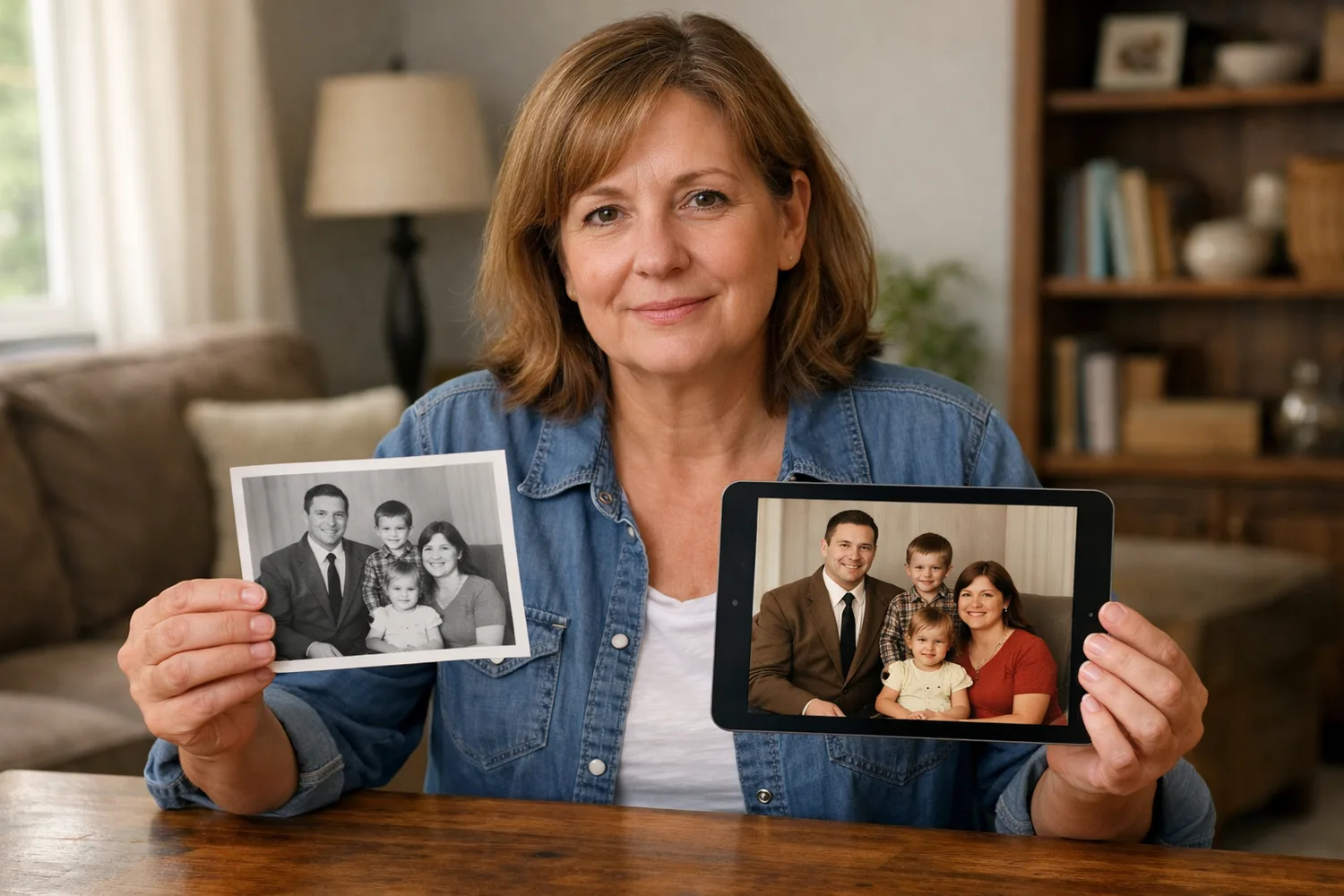
Upload a grayscale scan to Photo Colorizer, download a color file with no account, and move to Image Edit only when one color is wrong.
People who want to colorize photo online free no sign up usually have a gray scan and want a color file before any email form. The print is already the picture. What is missing is color on the shirt, the sky, and the skin, with the same face still looking back.
On Vibe Photos that first pass is Photo Colorizer. You upload one grayscale picture, press Run, and download a color version. The free tool does not ask for an account. If one color comes out wrong, Image Edit is a separate step, and it spends credits only after you verify an email.
A result before you make an account
The search colorize black and white photos free no sign up adds a condition: show the result before signup. Photo Colorizer is built that way. Free tools on the site return a first result with no account. The account is the later step, the one that adds 15 credits and opens Image Edit.
Under the sample, the page prints a counter. A fresh visit reads "0 of 5 free runs used today." Five runs is the daily allowance for this tool, and the count resets the next day. Five is enough to try a short stack of scans and keep the downloads that still look like the people on the paper.
The sample is a family in front of a house and a parked car. One half is gray. The other half puts color on the car, the dress, the lawn, and the clothes. That pair is the page's own example, so you can see the kind of change before you spend a run. Your file is the one you put in the slot.
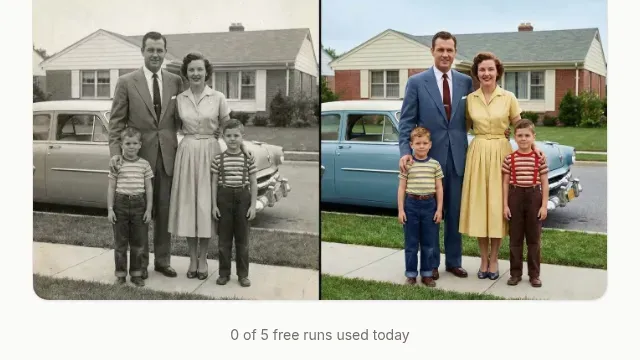
The slot takes one image, up to 20MB. Drag it in, or click and choose it. A phone photo of a print, shot near a window so the paper is evenly lit, is a fair source. A flatbed scan is steadier when you have the scanner. Your gray preview sits in the slot before you press Run. After the run, a before-and-after slider sets the gray scan next to the color version. Download saves the color file. If you leave for Image Edit before that download, the page asks you to confirm. The color file is still only on that screen until you save it.
Skip files that are already in color. This tool is for a grayscale picture. If the print is torn, stained, or missing a corner, added color will not rebuild the paper. Photo Restoration is the free tool for scratches, tears, and fading. Use it when the damage is the problem. Use Photo Colorizer when the print is intact and only the color is gone.
What the color guess is allowed to change
Someone searching colorize black and white photos ai wants a guess at skin, cloth, and sky, with the face left alone. The colorizer makes that guess in one Run. There is no prompt field on this page. You do not type a decade, a fabric, or a paint color. The tool lays plausible color on the gray shapes already in the file.
Read the download against the scan, both at a size you can judge. Skin should stay close to a real cheek tone. A white shirt can pick up a faint warm or cool cast from the light in the original, and that cast belongs to the scan. A face that changes shape, an object that was not in the print, or a room that has been replaced is a miss. You cannot steer one color from this page, because the page never takes a sentence. The same page points you to Image Edit when the result is not the one you wanted.
Check the download on a screen larger than a phone. A small screen hides a waxy cheek or a shirt that jumped to a color nobody in the family wore. If the face still matches and the clothes are only a little off, you can stop. If the face moved, do not print the file.
A browser page, with no app to install
The follow-up search colorize black and white photos free app shows up because the scan already lives on a phone. Photo Colorizer does not ship a separate app. It is a page in the browser. Open it on a computer or on the phone. There is no plugin to add and no program to install before the picture. The file you download is the color photo. Keep it beside the original scan so you can still see what you uploaded.
Photoshop can color a print with masks and layers, and that path is real if you already know those tools. This page is for a person who has the print and wants one color file without learning a layer stack. A photographer at $150 to $500 is a new portrait in a studio. Colorizing a family print is a different job. You already have the photograph. You are asking for color on that photograph.
Name the color that missed
The colorizer states the next step when the result is off: take the photo to Image Edit and write your own prompt. Upload the scan, or upload the color file if only one area is wrong. You can add up to 3 reference images. A photo of the real dress, or a later color snapshot of the same person, gives the edit a color to follow.
Email verification grants 15 credits. An image costs about 6 credits, so those 15 credits cover about two tries. Image generation often takes 1 to 2 minutes. The workbench shows the cost before you generate. Nothing is spent while you are still typing the sentence.
Say what to keep and which color to change. "Keep the face and the gray suit. Make the blouse a faded blue and the wall a warm off-white." A line that only says "make it colorful" spends a try and never says which color was wrong. If a reference photo holds the blouse color, say which image to follow.
Paid plans include commercial use and private, watermark-free outputs. The colorizer itself does not require a plan. Starter is $9.90 a month for 600 credits, about 100 images, if a whole album moves into Image Edit after the free runs. Annual billing for Starter is shown as $8.25 a month, $99 for the year. A one-time credit pack lasts 1 year. Once any generation has been used, refunds generally stop, so look at the file on a large screen before you spend the next 6 credits on a new sentence.
Three scans, then stop
Pick three scans from one album. Run each once. Download the ones where the face still matches the print and the main clothes are close. If a sky turns an odd purple, or a uniform turns the wrong green, leave the rest of the day's 5 runs for other files. Take the miss to Image Edit and name the color, or point at a reference photo.
Store the original scan. The color version is a new file, and you will want the gray one if you try a second wording. Print only after you have checked the download somewhere larger than a phone. A cheek that looks smooth and plastic on a laptop will look worse on paper.
If the counter already says 5 of 5, the page will not run another free color pass until the next day. Use a later visit for a different scan, or open Image Edit with a sentence once you know which color was wrong.